
Microsoft 365 security and administration
Microsoft 365 security and administration for Canadian organizations: Entra ID, conditional access, mail security, sharing, Intune and licensing.
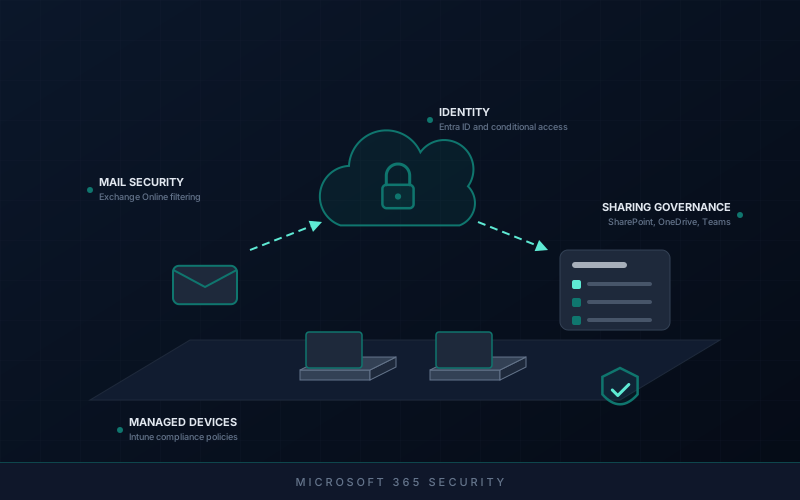
What we review
- Tenant security baseline: Current settings compared against a sensible baseline, with gaps stated in priority order.
- Identity and access: Entra ID users, groups, guest accounts, privileged roles and how administrative access is granted.
- Conditional access: Multi-factor authentication coverage, sign-in policies, legacy authentication and exclusions that weaken them.
- Mail security: Exchange Online filtering, SPF, DKIM and DMARC, forwarding rules and mail-flow exceptions.
- Collaboration governance: SharePoint, OneDrive and Teams sharing settings, external access and site ownership.
- Device management: Intune enrolment, compliance policies, configuration profiles and how unmanaged devices are treated.
- Licensing review: What is assigned, what is used, and where a different plan would fit better.
- Migrations: Planning and running tenant-to-tenant or mail platform moves with a tested cutover and rollback.
Deliverables
- Tenant baseline report: Current configuration against the baseline, with each gap rated and explained.
- Prioritised remediation plan: Changes in a sensible order, with user impact and rollback noted for each.
- Access and role record: Who holds privileged roles, what was reviewed, and what was removed.
- Sharing and governance settings: Documented decisions on external sharing, guest access and ownership.
- Licensing summary: Current assignment against actual use, with options to adjust.
- Administration runbook: How routine tasks such as joiners, leavers and access changes are handled.
Engagement boundaries
- Work is carried out during Canadian business hours. There is no round-the-clock monitoring, on-call rota or staffed operations centre.
- Changes to the tenant are made with your approval and through your change process, not unilaterally.
- Access is granted through accounts and roles you control; credentials are never requested by email or chat.
- A stronger baseline reduces risk. It does not make a tenant immune to phishing, account compromise or data loss.
- Microsoft's own service availability, licensing terms and product changes are outside our control.
- End-user support and day-to-day ticket handling are not included unless scoped in writing.
- Backup of Microsoft 365 data depends on the tooling you choose; native retention is not the same as a backup.
- Incident response during an active compromise is separate work and subject to availability.
- This work does not certify compliance with any framework, standard or Canadian privacy legislation.
Questions before the work starts
What access do you need to our tenant?
For a review, a read-only role such as Global Reader is usually enough, created by your administrator and removed afterwards. Administrative changes use a named account with the narrowest role that does the job, agreed in advance.
Will staff be locked out when multi-factor authentication or conditional access is tightened?
Not if it is done carefully. Policies are tested in report-only mode or with a pilot group first, exclusions are reviewed, and staff are told what will change and when. Emergency access accounts are set up so the organization cannot lock itself out.
Can you reduce what we spend on Microsoft 365 licences?
Often there is room, through unassigned licences, accounts belonging to people who have left, or plans that include features nobody uses. The review shows where; whether to change plans is your decision.
How is this priced?
By agreed scope, set out in writing before work starts. A tenant review is usually a bounded piece of work; ongoing administration can be scoped separately or included in a managed IT arrangement.
How is this different from your cybersecurity assessment?
An assessment looks across the whole environment and reports findings. This service goes deeper into Microsoft 365 specifically and can include making the changes, running migrations and ongoing administration.
The platforms this work covers
Microsoft 365 work covers the connected services that make up a tenant, not just mailboxes.
- Microsoft 365 and Entra ID
- Exchange Online
- SharePoint Online and OneDrive
- Microsoft Teams
- Microsoft Intune
- Microsoft Defender
- Microsoft Purview
Audits available
- Microsoft 365 tenant audit: identity, privileged roles, conditional access, mail flow, sharing and audit logging.
- Conditional access review: multi-factor authentication coverage, legacy authentication, policy exclusions and emergency access accounts.
- External sharing review: SharePoint, OneDrive and Teams sharing settings, guest accounts and ownerless sites.
Other ways we can help
Engagements are often scoped together; these are the closest neighbours to this one.
Is your Microsoft 365 tenant set up the way you would choose today?
Start with a free initial consultation. Tell us roughly how many users you have, which licences you hold, and what prompted the question, whether that is an insurer form, a sharing concern or a planned migration. The reply will set out what a sensible first piece of work would cover.